Connect Stripe
Do this once before configuring lifetime or subscription billing. You need a Stripe account and the app running locally from the Quickstart. You finish with Stripe test keys and a webhook signing secret in , a running local listener, and a customer portal your buyers can open.
Copy your test API keys
In the intended Stripe account, switch to test mode and open API keys. Save the values in your ignored for local development:
| Variable | Value |
|---|---|
NEXT_PUBLIC_STRIPE_PUBLISHABLE_KEY | This account's test publishable key, starting with pk_test_. |
STRIPE_SECRET_KEY | This account's restricted rk_test_ or secret sk_test_ key; keep it server-side. A restricted key needs the permissions listed in the environment reference. |
Leave STRIPE_SECRET_KEY_LIVE unset during testing; that override is used only
when NEXT_PUBLIC_STRIPE_MODE=live. Stop if the account is not the one that
will own your products.
Forward events to your local app
With bun run dev running, open another terminal. Install the
Stripe CLI, sign in to the same test
account, and forward the supported events:
stripe login
stripe listen \
  --events product.created,product.updated,product.deleted,price.created,price.updated,price.deleted,checkout.session.completed,invoice.paid,customer.subscription.created,customer.subscription.updated,customer.subscription.deleted \
  --forward-to localhost:3000/api/webhooks/stripe
Copy the listener's displayed whsec_... secret into STRIPE_WEBHOOK_SECRET
in ignored , then restart bun run dev. Keep the listener running
before creating fixtures or opening Checkout.
Checkpoint: stripe listen prints your whsec_ secret and keeps running.
The --events filter applies to this
listener only. It does not configure a hosted Dashboard destination.
Configure the customer portal
Inspect the default configuration in your selected Stripe test account:
stripe billing_portal configurations list -d is_default=trueThe template creates portal sessions without a configuration override, so it uses this default. If the list is empty, first save the initial portal configuration in Customer Portal settings, then list it again. A non-default configuration created through the API is not used by the application.
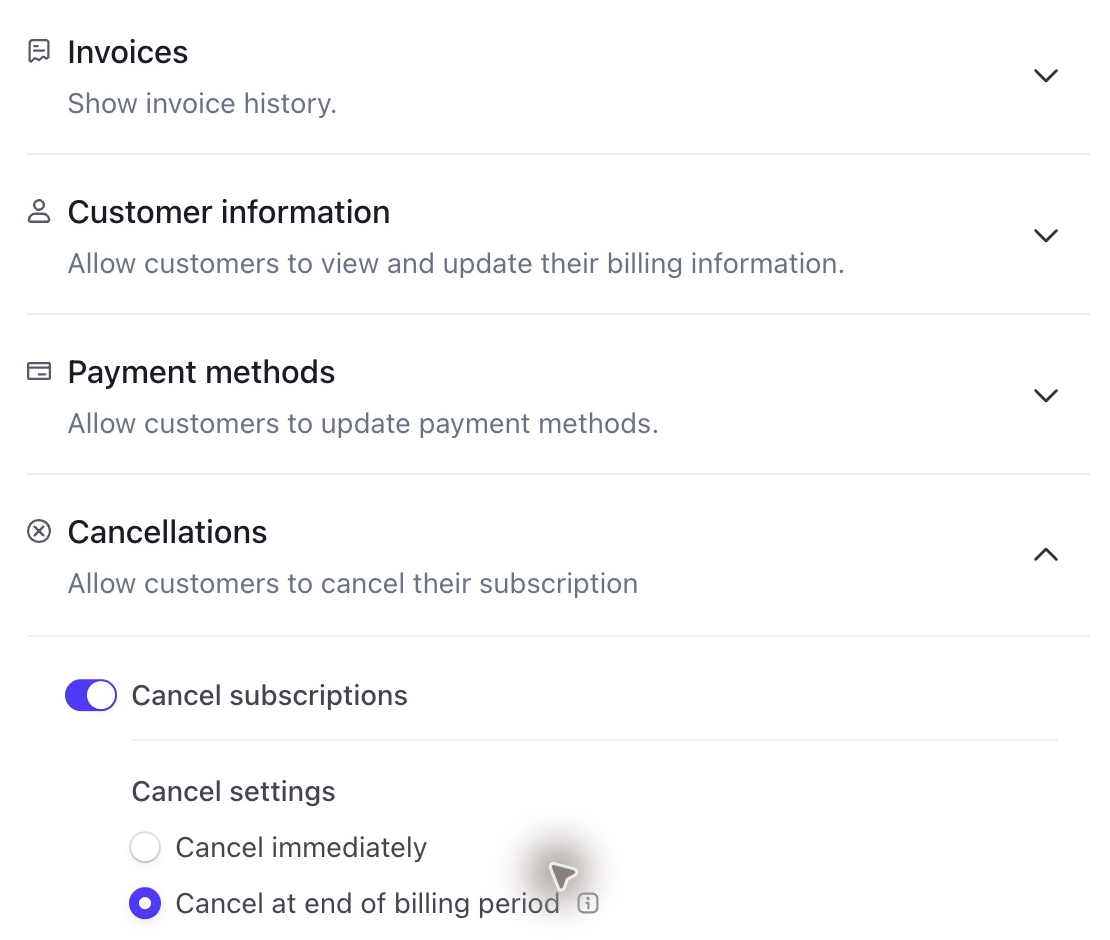
Use the returned default configuration ID to enable the actions you want:
stripe billing_portal configurations update <default-configuration-id> \
  -d 'features[payment_method_update][enabled]=true' \
  -d 'features[invoice_history][enabled]=true' \
  -d 'features[subscription_cancel][enabled]=true' \
  -d 'features[subscription_cancel][mode]=at_period_end'
This example permits card updates, invoice history and cancellation at the
end of the paid period. Inspect the response and preview the portal in the
Dashboard. Keep livemode: false during local setup. For plan switching,
explicitly select only your supported Products and Prices using
Stripe's portal configuration options.
The configuration API
documents the other available policies.
Checkpoint: the configurations list command above returns one
configuration. Lifetime
buyers use the portal for payment methods and invoices, so configure it even
if you do not sell subscriptions. The app fixes the portal return URL to
/dashboard/billing.
Another local checkout (Next.js)
The Run another project recipe in Next.js Run Locally
starts the app on another port. Forward to that port instead of 3000.
If setup fails
| Symptom | Fix |
|---|---|
stripe listen shows the wrong account | Run stripe login again in the intended test account. |
| The CLI ignores your browser login | STRIPE_API_KEY overrides the saved login. Unset it in that terminal; see CLI key precedence. |
Webhook requests return 400 | Copy the active listener's whsec_ secret into STRIPE_WEBHOOK_SECRET, then restart bun run dev. |
What's next
Configure Stripe Lifetime Billing
Configure Stripe Subscription Billing
Was this page helpful?